Mini-Apps

Create and share interactive AI-generated applications.
What are Mini-Apps?
Mini-Apps are lightweight, single-purpose web applications that the AI can generate for you. Think of them as custom tools built on-demand.
Examples:
- Meeting scheduler forms
- Status dashboards
- Survey forms
- Time tracking tools
- Custom calculators
Creating a Mini-App
Via Chat
Simply describe what you need:
"Create a meeting scheduler app that lets users pick available time slots"
"Build a simple form to collect feedback with name, email, and comments"
"Make a dashboard showing our sprint progress"
What Happens Next
- The AI generates the app code
- A pull request is created for review
- Once approved, the app is built and deployed
- You receive a shareable link
Using Mini-Apps
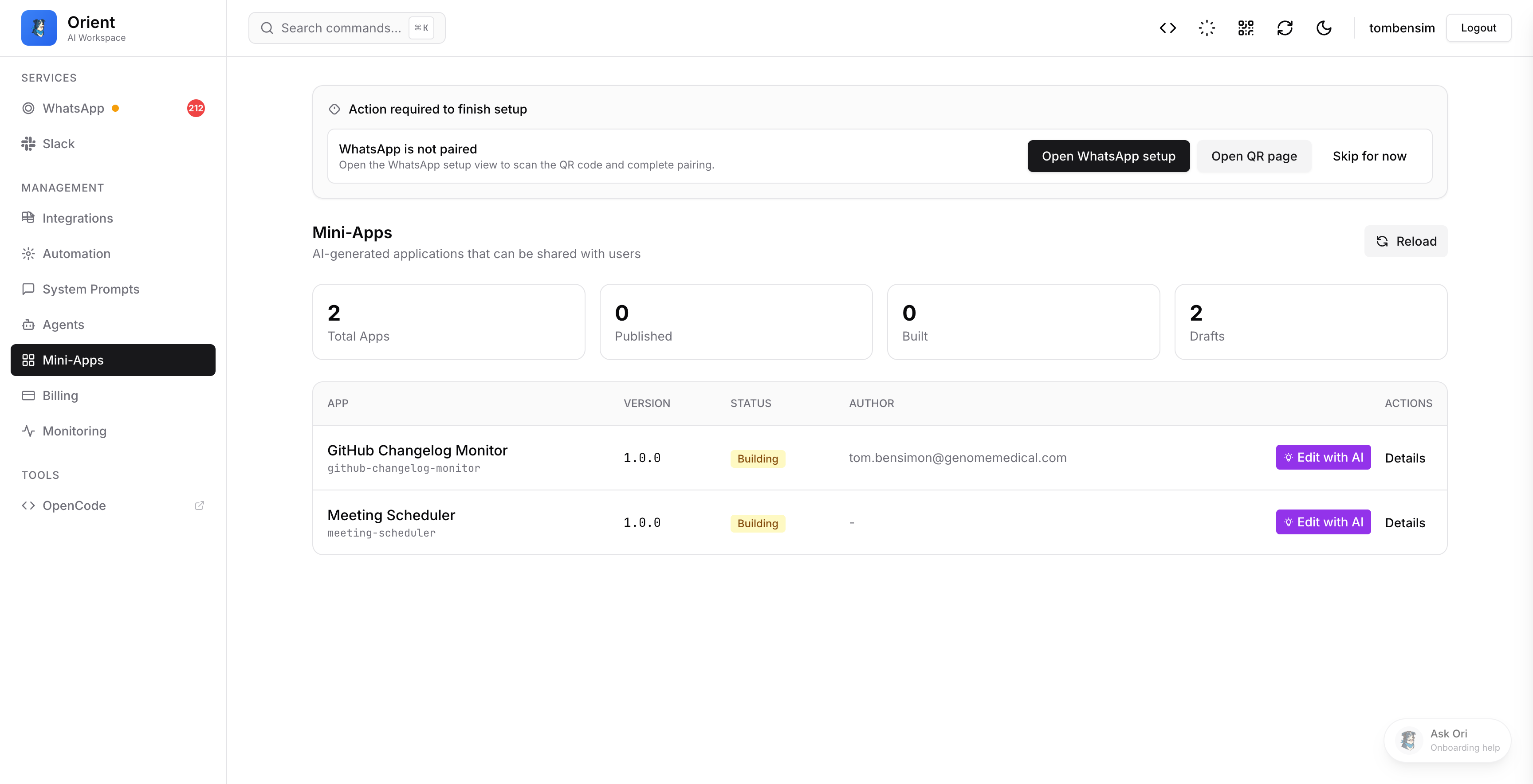
Access Your Apps
- Go to app.example.com
- Navigate to the Apps tab
- Click on any app to open it
Sharing Apps
Each app can have a share link that you can send to others:
- Find your app in the Apps tab
- Click "Share"
- Configure sharing options:
- Expiry - When the link stops working
- Usage limit - Maximum number of uses
- Copy and share the link
info
Share links work without requiring login, making them perfect for sharing with external users.
App Capabilities
Mini-Apps can interact with various services through the bridge API:
| Capability | Description |
|---|---|
| Calendar | Check availability, schedule events |
| Slack | Send messages, look up users |
| JIRA | Query issues, update tickets |
Permissions
Each app specifies which tools it needs. When you run an app, it can only access the tools explicitly allowed.
Example Apps
Meeting Scheduler
An app that:
- Shows available time slots
- Lets users pick a time
- Books the meeting on your calendar
Feedback Form
An app that:
- Collects user input (name, email, message)
- Validates the data
- Sends results to Slack
Sprint Dashboard
An app that:
- Displays current sprint status
- Shows completed vs remaining points
- Highlights blockers
Design System
All Mini-Apps follow a consistent design:
- Clean, dark theme - Easy on the eyes
- Responsive - Works on mobile and desktop
- Accessible - Proper contrast and keyboard navigation
The AI uses shared UI components to ensure consistency:
- Buttons, Cards, Inputs
- Date/Time pickers
- Select dropdowns
Limitations
- Apps are single-page (no routing)
- No backend - Everything runs client-side
- Limited tools - Only allowed capabilities work
- Share links expire - Set appropriate expiry times
Troubleshooting
App Won't Load
- Check if the app has been built (PR merged)
- Verify the share link hasn't expired
- Try refreshing the page
Tool Calls Fail
- Ensure the app has permission for the requested tool
- Check if the underlying service is available
App Looks Wrong
- Try a hard refresh (Ctrl+Shift+R)
- Check if you're using a supported browser